ASQ · Shops
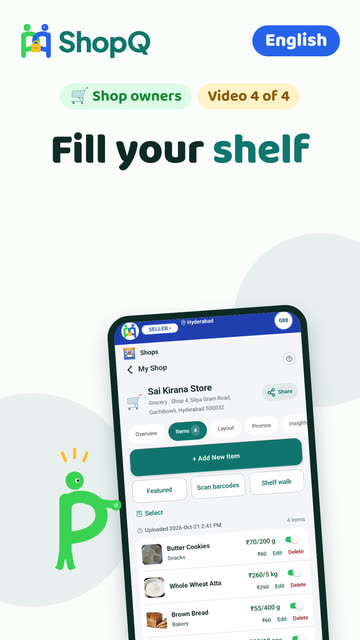
Fill your shelf
Scan barcodes, snap a product, walk a shelf with the camera, or add items by hand. One switch marks something out of stock.
Step by step
- Open your shop and go to your products.
- At the counter, scan barcodes or snap a product: packaged goods come in with name and photo.
- Or walk a shelf with the camera and ShopQ lists what it sees.
- Or add one by hand with a photo from your phone.
- One product, many sizes: star the size buyers see first.
- Save. Out of stock later? One switch and buyers stop ordering it.
More guides
- Open your shopName, photos, location, delivery and hours. About a minute, and you are live to the communities around you.
- Answer a question, fulfil the orderA resident asks before walking over. Reply with a yes and a price, accept the order, mark it ready, get paid at your counter.
- Show your licencesAdd your Udyam number or GSTIN and verify your identity once. Buyers see exactly what was checked. None of it is required to sell.
- Your shop on a computerSign in at shopq.ai with the same number: upload your list from Excel, change many prices at once, invoices and reports.
Still stuck? Three ways out
- Do it yourselfEvery guide here has the steps, and a video where one is recorded.
- Ask a ShopQ partnerA partner near you can set it up with you, from their own phone.
- Reach ShopQFor your identity check, payments, or anything unsafe, write to us directly.WhatsAppsupport@shopq.aiContact us